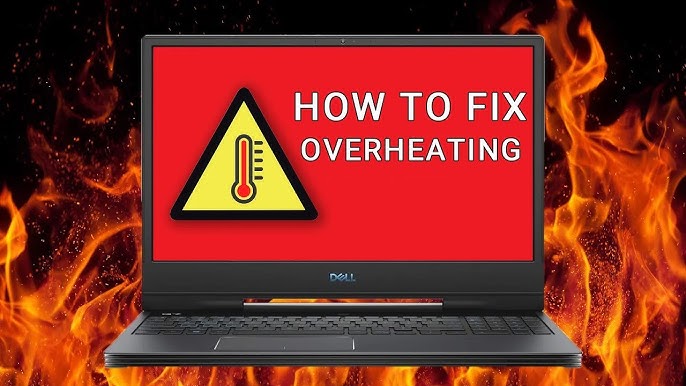
High-performance gaming laptops, such as the Acer Predator Helios 300, are machines designed to work under pressure, but this intensity of use comes at a cost: the cooling system degrades over time. When the thermal paste dries out and the thermal pads lose efficiency, warning signs appear gradually, until performance is clearly compromised. Unstable FPS, image with visual artefacts at lower resolutions or framerates, and erratic temperatures are some of the most common symptoms.
In this article, we explain how the thermal maintenance process works on a gaming laptop, what replacing the thermal paste and thermal pads on the Predator Helios 300 involves, the risks associated with it, and when the problem may indicate something more serious at the motherboard level.
Why Does the Cooling System Degrade on a Gaming Laptop?
Unlike desktop computers, gaming laptops such as the Predator Helios 300 concentrate high-power-consumption components in a reduced space. The processor and GPU generate large amounts of heat that need to be dissipated efficiently, and this is where thermal paste and thermal pads come in.
With prolonged use, especially during intense gaming sessions or demanding software work, these heat-conducting materials progressively degrade. The thermal paste dries out and loses elasticity, creating microvoids between the processor and the heat sink. The thermal pads may compress beyond the recommended level or simply lose their conductive properties. The result is a cooling system that can no longer perform its function, which causes:
- Thermal throttling, that is, automatic performance reduction to prevent overheating damage
- Abrupt and abnormal FPS variations during gaming or graphics work
- Image issues at lower framerates
- Unexpected shutdowns due to excessive temperature
- High fan noise, running constantly at maximum
The Thermal Maintenance Process on the Predator Helios 300
Thermal maintenance on a gaming laptop is not just about applying new thermal paste to the processor. In the case of the Predator Helios 300, it is a more comprehensive intervention that includes several essential steps.
Before any intervention, it is essential to carry out diagnostic tests to assess the actual condition of the equipment. These tests can reveal abnormal behaviour, such as shutdowns under high loads or temperature fluctuations outside the normal range, which are important indicators for guiding the intervention and setting realistic expectations with the user.
The thermal maintenance process typically includes:
- Complete disassembly of the cooling system, with careful removal of the heat sink and fans
- Deep cleaning of the processor, GPU and heat sink surfaces, removing residue from the old thermal paste
- Fan lubrication, to reduce noise and extend service life
- Application of new, quality thermal paste on the processor and main GPU
- Replacement of thermal pads on all components where present, including video memory, VRMs and other secondary chips
- Post-intervention testing, with temperature and performance monitoring under load
An important point on this specific model: the location and number of thermal pads may vary depending on the hardware revision of the equipment. It is not always possible to identify with absolute certainty all the pads originally present, especially if the equipment has already been serviced before. This transparency with the user is essential to manage expectations responsibly.
When Thermal Maintenance Does Not Solve the Problem
In some cases, replacing the thermal paste and pads is not enough to completely eliminate the symptoms. If, after a well-executed thermal maintenance validated by testing, the laptop continues to show instability, erratic FPS or shutdowns, it is necessary to consider the possibility of issues at the motherboard electronics level.
The components most frequently affected in these situations are the VRMs (voltage regulators that power the processor and GPU), capacitors damaged by heat accumulated over time, or even the graphics chip with weakened solder connections. These problems require specialised electronic intervention, which goes beyond conventional thermal maintenance and involves diagnosis with measuring equipment, such as a multimeter and oscilloscope, and possibly component resoldering with a hot air station.
It is always good practice to inform the user of this possibility before the thermal intervention, so that the decision is made with full knowledge of the facts.
Good Practices to Extend the Life of the Cooling System
After thermal maintenance, there are simple habits that help preserve the cooling system for longer:
- Use the laptop on rigid, flat surfaces that do not block the air vents
- Invest in a stand with additional ventilation for extended gaming sessions
- Keep temperature monitoring software active, such as HWiNFO or MSI Afterburner, to detect anomalies early
- Periodically clean the ventilation grilles with compressed air to prevent dust build-up
- Plan preventive thermal maintenance every two to three years, especially for equipment under intensive use
Preventive maintenance is always more cost-effective than a corrective intervention on components damaged by prolonged overheating.
Frequently Asked Questions
How often should I replace the thermal paste on my gaming laptop?
In general, it is recommended to replace the thermal paste every two to three years on laptops with intensive use, such as gaming models. Over time, the thermal paste dries out and loses its heat conduction capacity, causing a progressive increase in temperatures and instability in performance. If your laptop starts showing overheating, irregular FPS or unexpected shutdowns, it is worth considering a thermal maintenance intervention even before this deadline.
What are thermal pads and what is their function in a laptop like the Predator Helios 300?
Thermal pads are heat-conducting cushions placed between components such as RAM memory, auxiliary GPU chips or voltage regulators and the cooling system. Unlike thermal paste, which is used directly on the processor and main GPU, thermal pads have a specific thickness that fills physical gaps between surfaces. Their degradation or absence compromises the heat dissipation of these components, contributing to instability, thermal throttling and, in severe cases, permanent damage to the motherboard.
When can a temperature issue on a gaming laptop indicate a motherboard failure?
If, after a complete thermal maintenance with paste and pad replacement, the laptop continues to show FPS instability, abrupt temperature variations or unexpected shutdowns, there may be issues at the motherboard electronics level. Components such as VRMs, capacitors or the GPU itself may be damaged. In these cases, specialised electronic intervention is required, which includes diagnosis with measuring equipment and, if applicable, resoldering or replacement of components.
Need help? Contact MEGABIT at comercial@megabit.ptin-person support in downtown Porto and throughout the North of Portugal.
Want to be notified when we publish our next article or video?
Free. Get notified as soon as we publish. No spam, easy to unsubscribe.