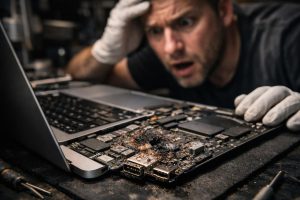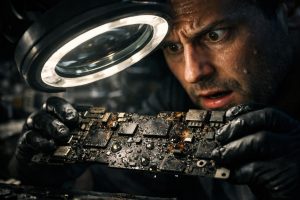
A water bottle that opens inside a backpack. A MacBook Air that silently absorbs the liquid for hours. A user who only notices the problem when trying to turn on the computer, already at home or at the office. This scenario is more common than it seems, and the consequences can be devastating, especially if the following steps are not the correct ones.
Liquid damage in Apple laptops is one of the most complex situations a specialised technician can face. Not because it’s impossible to resolve, but because the final outcome depends almost entirely on what happened before the device reaches a competent repair shop. This guide explains what to do, what to avoid, and when to accept that a MacBook Air may no longer have a solution.
What Happens Inside the MacBook Air When Liquid Gets In
The MacBook Air is an extraordinarily compact device. That compactness, which makes it so appealing, is also the reason why liquid damage is so dangerous. The motherboard, the CPU, the memory modules, the battery controller and dozens of other components are arranged in a minimal space, separated by microscopic distances.
When liquid penetrates the chassis, it doesn’t follow a predictable path. It spreads by capillary action, enters connectors, accumulates in hard-to-reach areas and, if the device is on or is turned on while wet, it immediately creates conductive bridges between components that should never be in electrical contact. The result is short circuits that can destroy chips in fractions of a second. Even if the device seems to work initially, corrosion starts immediately and progresses silently over hours or days.
The Fatal Mistakes that Turn a Possible Repair into a Total Loss
Most MacBook Air units that arrive at a specialised repair shop in an unrecoverable state did not arrive that way directly from the liquid incident. They arrived that way after a series of wrong decisions made with the best intentions. The most common mistakes are:
- Trying to turn on the device to check if it still works, even before drying it. This is by far the most destructive mistake.
- Leaving the MacBook to dry in the sun or near a heat source, which accelerates oxidation and can damage the battery.
- Using rice or silica gel as a solution. These methods may absorb some surface moisture, but they do not clean the mineral residue left on the electronic components, which continues to corrode.
- Resorting to repair shops not specialised in Apple, which may attempt repairs without the proper equipment, remove components without replacing them, and return the device in worse condition than it was received.
- Waiting several days before seeking technical help, letting the oxidation progress without intervention.
The problem of successive interventions by non-specialised repair shops is particularly serious. Every undocumented opening, every component removed without record, every cleaning attempt with inadequate products adds another layer of damage to the original one. When the device finally reaches a certified technician, it may be impossible to determine what failed because of the water and what failed because of the previous interventions.
When a MacBook Air with Water Damage Is No Longer Repairable
Not every case has a happy ending, and it’s important to be honest about that. A MacBook Air can be considered unrecoverable when:
- The CPU or other critical chips soldered to the motherboard show signs of irreversible electrical damage caused by corrosion.
- Essential components were removed in previous interventions and it is not possible to identify what they were or their original condition.
- The motherboard shows damage at multiple points, making any repair economically unviable even if technically possible.
- The device was repeatedly turned on while still internally damp, causing extensive secondary damage.
In these cases, the priority shifts: it is no longer about repairing the device but about data recovery. Even when a motherboard is completely destroyed, the data stored on the SSD can, in many cases, be recovered by specialists, especially if the storage module was not directly affected by the liquid or corrosion.
The Correct Procedure: What to Do in the First Minutes and Hours
If the MacBook Air comes into contact with liquids, every minute has a direct impact on the outcome. The correct procedure is:
- Turn it off immediately and keep the power button pressed until the screen turns off, without trying to save open files.
- Do not turn it back on under any circumstances, even if it seems to be working.
- Tilt the MacBook with the keyboard facing down, to help the liquid drain out the way it came in.
- Do not shake the device vigorously, as this can spread the liquid to areas not yet affected.
- Contact a technician specialised in Apple as soon as possible, ideally within the first two to four hours.
A professional technical intervention involves opening the device in a controlled environment, ultrasonic cleaning of the motherboard with suitable solvents, inspection of all components, and replacement of any that show damage, if technically possible and economically justifiable. This process is very different from simply drying the device and trying to turn it on.
Frequently Asked Questions
Can a wet MacBook Air be repaired if I act quickly?
Yes, speed is the most decisive factor. If the device is turned off immediately, is not turned back on, and is handed to a specialised technician within the first few hours, the chances of recovery are significantly higher. Oxidation of electronic components begins within a few hours of contact with moisture, so every minute counts. Never try to turn on the device to check if it still works, as this can cause irreversible short circuits.
Why does a MacBook taken to several repair shops become increasingly difficult to repair?
Every poorly executed or incomplete intervention worsens the device’s condition. Technicians without specific Apple training may remove damaged components without replacing them, try to turn on the device while it’s still damp, or use unsuitable cleaning products that accelerate corrosion. When the device reaches a specialist after several interventions, components are missing, circuit traces are damaged, and the original cause of the problem becomes impossible to isolate, making repair unviable.
What happens to the CPU of a MacBook exposed to liquids?
The CPU and other chips soldered directly to the MacBook Air’s motherboard are extremely vulnerable to corrosion caused by liquids. Water, especially with dissolved minerals, creates conductive bridges between components that should not be connected, causing silent short circuits. Over time, oxidation corrodes the chip’s microscopic connections, rendering it permanently inoperative. Unlike mechanical parts, chips damaged by corrosion are rarely repairable, and replacing them in a MacBook Air with an Apple Silicon chip is technically very complex and expensive.
Need help? Contact MEGABIT at comercial@megabit.ptin-person support in Baixa do Porto and the entire Northern Portugal region.
Want to be notified when we publish our next article or video?
Free. Get notified as soon as we publish. No spam, easy to unsubscribe.