When the MacBook Survives the Liquid, But the Motherboard Doesn’t
A spill on a MacBook is one of the most common accidents in a work environment, and also one of the most deceptive. The typical scenario is as follows: the equipment is exposed to liquid, immediately stops turning on, is cleaned, and after some time appears to recover. The user breathes a sigh of relief, resumes work, and considers the problem solved. But it’s not always like that.
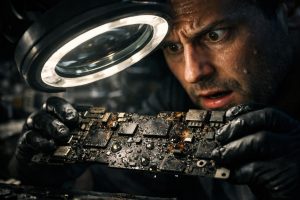
When liquids penetrate a MacBook’s motherboard, the damage rarely stays on the surface. Corrosion advances, the circuits can suffer short circuits, and critical electronic components, such as the USB-C controllers, can be permanently damaged. The MacBook may continue to work partially, but the risk of total failure increases with every day that passes without technical intervention.
The Role of the USB-C Controller on the MacBook Motherboard
On more recent MacBook models, each USB-C port is managed by a dedicated chip with an independent electronic circuit. This controller is responsible for multiple critical functions: battery charging, data transfer, connection to external monitors and Thunderbolt compatibility. It’s not a simple physical port, but a complex electronic system integrated directly into the motherboard.
When liquids reach this area, the result can be the burning of the controller chip, a short circuit in the power circuit, or both simultaneously. In these cases, the affected USB-C port stops working completely, and the damaged circuit represents an active threat to the remaining components of the motherboard. The most concerning situation is when the MacBook remains operational with only one of the ports working: the user has the illusion that the problem is minor, when in reality there is an active electrical fault inside the equipment.
Why Ultrasonic Cleaning May Not Be Enough
Cleaning with an isopropyl alcohol bath and ultrasound is the standard treatment for any MacBook with liquid contact. This process removes corrosion residues, deposited minerals and organic contaminants left on the circuits by liquids. It should be carried out as quickly as possible after the incident, ideally within the first few hours, to limit the progression of the damage.
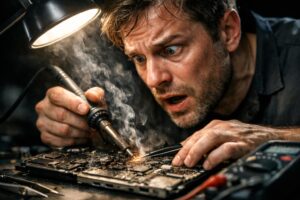
However, ultrasonic cleaning treats the consequence, not the electrical cause. When liquids have caused thermal damage to components, such as a burnt chip or fused conductive tracks on the motherboard, cleaning removes the corrosion but does not restore the functionality of the destroyed components. In these cases, repair requires intervention at the micro-soldering level, with replacement of damaged chips with equivalent components, in a process that requires specialised equipment and technicians trained in Apple motherboard electronics.
- Ultrasonic cleaning: removes corrosion and residues, essential as a first step
- Electrical diagnosis: identifies short circuits, burnt chips and compromised circuits
- Micro-soldering and chip replacement: repairs the electrical damage on the motherboard
- Full functional test: validates all ports, the power circuit and system behaviour
The Risk of Continuing to Use a MacBook with an Active Short Circuit
A MacBook with an active short circuit on the motherboard, even if it still turns on and appears to work well, is at permanent risk of progressive deterioration. The damaged power circuit can propagate the electrical fault to neighbouring components on the motherboard, namely the USB-C controller that still works, the battery management circuit, or the CPU and GPU in more serious scenarios.
The practical consequences for a business or professional user are significant: sudden loss of access to the equipment during a work day, risk of data loss if the fault affects the power circuit of the internal storage, and repair costs that increase substantially when the damage spreads to multiple motherboard components.
The decision to keep using the MacBook without repairing the damaged circuit may seem pragmatic in the short term, but it represents a considerable technical and financial risk. Repairing a USB-C controller chip and the associated power circuit is a localised and controlled intervention. Repairing a motherboard with multiple zones of electrical damage is considerably more complex, time-consuming and expensive.
Frequently Asked Questions
My MacBook got wet but it still works. Do I really need to have it repaired?
Yes. The fact that the MacBook still turns on after contact with liquids does not mean it’s safe. Liquids cause progressive corrosion in the internal circuits, which can advance silently over days or weeks. A MacBook that works today may stop turning on tomorrow if the corrosion reaches critical motherboard components. Preventive repair is always more economical than total failure.
What is the USB-C chip and why is it so important in the MacBook?
On modern MacBook models, each USB-C port has a dedicated controller, that is, its own chip with an independent electronic circuit. This chip manages not only data transfer, but also battery charging. If this component suffers a short circuit, the port stops working and the problem can spread to the rest of the power circuit, compromising the operation of the entire equipment.
Does ultrasonic cleaning always solve liquid damage in a MacBook?
Not necessarily. Bath and ultrasonic cleaning is a fundamental step in treating a MacBook with liquid contact and should be carried out as quickly as possible. However, when liquids have caused electrical damage, such as burnt chips or short circuits on the motherboard, cleaning removes the corrosion but does not repair the damaged components. In these cases, intervention at the micro-soldering level and chip replacement is required, carried out by technicians specialised in Apple motherboard repair.
Need help? Contact MEGABIT at comercial@megabit.pt: in-person support in Baixa do Porto and throughout the North of Portugal.
Want to be notified when we publish our next article or video?
Free. Get notified as soon as we publish. No spam, easy to unsubscribe.