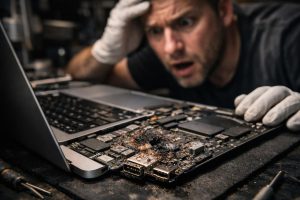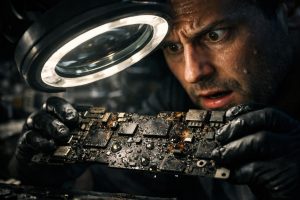
There are situations where a MacBook Pro simply refuses to turn on, without any prior warning and without an obvious cause in sight. For those who depend on the equipment on a daily basis, whether in a professional or personal setting, this scenario is highly disruptive. The MacBook Pro A2141, one of the most robust and popular models in the Apple line-up, is not immune to this type of fault, especially when the power circuit is affected by wear, overvoltage or prolonged use without maintenance.
In this article, we explain what happens when a MacBook Pro’s power circuit fails, how the diagnosis and repair process is carried out by a specialised technician, and how you can protect your equipment after the intervention. If your MacBook Pro A2141 won’t turn on, this guide was written for you.
What Is the Power Circuit and Why Does It Fail?
The power circuit of a MacBook Pro is the set of components responsible for managing the energy that comes in through the charger, distributing it across the logic board and controlling the battery’s charge and discharge. When an element of this circuit fails, the equipment may show symptoms such as not turning on at all, shutting down unexpectedly, or not charging even with the charger connected.
The most common causes of power circuit failure include:
- Natural wear of components, especially in equipment with several years of intensive use;
- Electrical overvoltage, caused by faults in the power grid or the use of uncertified chargers;
- Heat build-up, which progressively degrades capacitors and integrated circuits on the logic board;
- End-of-life battery, which can overload the power management systems;
- Moisture or liquids, even in small amounts, which cause corrosion of the electrical contacts.
In the case of the MacBook Pro A2141, the power circuit is particularly sensitive because it manages a high-capacity battery and a processor with high power consumption. Any imbalance in this system can result in a total startup failure.
How Is the Technical Diagnosis Carried Out?
When a MacBook Pro A2141 that won’t turn on arrives at a specialised technician, the diagnostic process follows a structured methodology to accurately identify the affected component, avoiding unnecessary replacements and additional costs.
The diagnosis begins with an analysis of the voltages in the power circuit, using a multimeter and oscilloscope to check whether the charger’s energy is being correctly received and distributed. Next, the battery’s condition is checked, namely its actual capacity and behaviour during full charge and discharge cycles. This step is essential to determine whether the battery is contributing to the fault or whether the problem lies exclusively in the board.
After the circuit repair, the equipment undergoes tests with specialised diagnostic software, which checks the state of all internal components, from RAM memory to SSD storage, as well as temperature sensors and GPU behaviour. Only when all tests are completed without errors is the equipment considered ready for delivery.
The Repair Process: What to Expect
Repairing a power circuit on a MacBook Pro A2141 is a logic board-level intervention, which requires advanced technical training, microsoldering equipment and parts of a quality compatible with Apple’s standards. This is not a repair that can be done at home or by any general technician.
A professional repair process usually includes the following steps:
- Detailed diagnosis of the power circuit and battery;
- Surgical intervention on faulty components, with replacement or resoldering of the affected elements;
- Full charge and discharge cycles to validate the battery’s behaviour after the repair;
- Software diagnostic tests to ensure the integrity of all internal components;
- Application of warranty and security seals, which protect the customer and ensure traceability of the intervention.
It is important to understand that opening a MacBook Pro by unqualified persons, after the repair, can damage fragile components such as flex cables, connectors or the logic board itself. For this reason, the warranty seals applied by the technician should not be removed. Breaking these seals voids the repair warranty coverage, since any subsequent fault may be related to improper opening of the equipment.
Best Practices to Preserve the MacBook’s Power Circuit
After a repair, it is essential to adopt habits that extend the lifespan of the power circuit and battery. In a business context, where equipment is used intensively, these practices make the difference between a Mac that lasts for years and one that returns to the technician prematurely.
- Always use the original Apple charger or an MFi certified charger, with the correct power rating for the model. Low-quality chargers are one of the main causes of damage to the power circuit;
- Avoid charging the MacBook on surfaces that block the air vents, such as pillows or blankets. Excessive heat degrades the circuit’s components over time;
- Perform full charge and discharge cycles periodically, especially if the equipment is connected to power continuously for long periods;
- Do not habitually let the battery fully discharge. Deep, repeated discharges reduce battery capacity and overload the charge controller;
- Schedule annual preventive maintenance with a specialised Apple technician, especially in a business context where MacBooks are used every day.
Frequently Asked Questions
My MacBook Pro A2141 won’t turn on even with the charger connected. What could be failing?
The most common cause is a fault in the power circuit, which prevents the charger’s energy from correctly reaching the internal components. Battery issues, the charge controller, or capacitors on the logic board may also be involved. A diagnosis with specialised equipment is essential to identify the exact affected component before any intervention.
After the repair, does the MacBook come with a warranty?
Yes. After a professional repair, it is standard practice to apply warranty and security seals to the equipment. These seals indicate that the equipment was serviced under controlled conditions. Removal of these seals by third parties voids the repair warranty, since opening the equipment can damage components and introduce new faults unrelated to the original intervention.
How can I prevent the MacBook’s power circuit from failing again?
There are several best practices that extend the lifespan of the power circuit: avoid charging the MacBook on surfaces that block ventilation, always use the official or Apple-certified charger, do not habitually let the battery fully discharge, and perform full charge and discharge cycles periodically. In a business environment, annual preventive maintenance by a specialised technician is also recommended.
Need help? Contact MEGABIT at comercial@megabit.ptin-person support in Baixa do Porto and throughout the North of Portugal.
Want to be notified when we publish our next article or video?
Free. Get notified as soon as we publish. No spam, easy to unsubscribe.