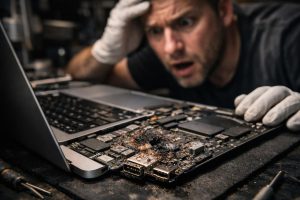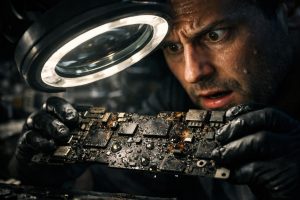
Spilling liquid on a MacBook is one of the most common accidents and, at the same time, one of the most distressing for any user. In seconds, a simple cup of water, coffee or other drink can cause severe damage to the internal electronics, resulting in a device that simply won’t turn on. The good news is that, with specialised technical intervention carried out promptly, it is often possible to recover the MacBook, or at least the data stored inside it.
In this article we explain what happens internally when a MacBook comes into contact with liquids, how the diagnostic and repair process at the motherboard level works, what the real limitations of this type of intervention are, and what you should do immediately after the accident to maximise the chances of recovery.
What happens inside a MacBook when it comes into contact with liquids
Contrary to what many think, the greatest danger from liquids is not the immediate contact, but the corrosion that develops in the hours and days that follow. Water, especially if it contains minerals or sugars like coffee or juice, leaves conductive residues that continue to react with the electronic components even after they appear to have dried. This process can burn out integrated circuits, capacitors, resistors and other components essential to the motherboard’s operation.
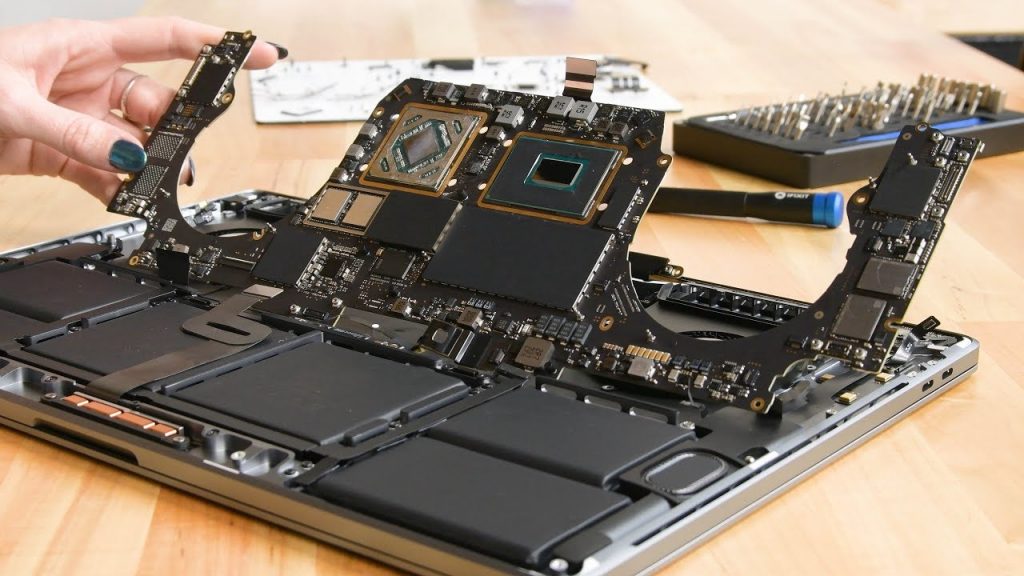
In the case of MacBook Pro with Apple M2 chip and recent models in the A2338 line, the motherboard is extremely compact and dense, which means the liquid can affect multiple components simultaneously. A MacBook that won’t turn on after contact with liquids can present anything from a simple short circuit in an isolated component to the burning out of several integrated circuits in different areas of the board, making diagnosis a demanding and time-consuming process.
The repair process: from diagnosis to recovery
The repair of a MacBook with liquid damage follows a well-defined technical process, which always begins with stabilising the device before any attempt to turn it on:
- Opening and visual inspection: The technician disassembles the device and assesses the visible extent of the damage, identifying areas of corrosion, oxidation stains and visibly damaged components.
- Ultrasonic bath and deoxidation: The motherboard undergoes professional cleaning with deoxidising solutions and ultrasound, which effectively removes mineral deposits and corrosive residues without damaging the components.
- Electrical diagnosis: After cleaning, the technician carries out electrical measurements to identify components with values outside the expected range, active short circuits or continuity failures.
- Component replacement: Burnt integrated circuits and components are individually replaced through microsoldering, a precision job that requires specialised equipment and advanced technical training.
- Functional testing: The device is thoroughly tested to verify all functions: startup, charging, screen, keyboard, TouchBar (where applicable), ports and overall performance.
It’s important to understand that this process can take several days, depending on the complexity of the damage. Transparency with the customer at every stage is essential to manage expectations and make informed decisions about the repair.
Partially affected functions: the case of the TouchBar
It’s not always possible to recover all the functions of a MacBook after liquid damage. In some cases, specific components may show intermittent or permanent faults that don’t result from visible physical damage, but rather from subtle electronic issues on the motherboard or associated control circuits.
The TouchBar, present in several MacBook Pro models, is an example of a component that can continue to show erratic behaviour even after a successful repair of the main board. Its intermittent faults are often electronic in origin, making diagnosis more complex and repair more uncertain. In these cases, the user should be informed of the situation and may choose to collect the device with the function compromised, especially if the main goal is data recovery.
This is a legitimate and common decision: if the MacBook starts up, works stably and allows access to the data, many users choose not to pursue repair of secondary functions, particularly when this involves additional costs and technical uncertainties.
Limitations and lack of warranty: what you should know before proceeding
Repairing equipment with liquid damage has a characteristic that sets it apart from all other repairs: it is not possible to offer a warranty on the service provided. This is not an arbitrary policy of repair centres, but a technical reality that any honest specialist should communicate clearly. At MEGABIT, although we always communicate this reality to the customer, we do offer a warranty on the replaced components, and we provide a warranty in the event of failure of the same repaired section.
Corrosion caused by liquids can progress invisibly over weeks or months. A component that passes all tests at the time of repair may fail some time later due to residual corrosion that wasn’t detectable. For this reason, liquid damage repairs are carried out without warranty, and the customer must always be informed of this before authorising the intervention.
What can, and should, be guaranteed is the technical quality of the work carried out and full transparency about the condition of the device. A good repair centre will provide a clear report on what was done, what was replaced, and what limitations are known at the time of delivery.
Frequently Asked Questions
My MacBook got water spilled on it and won’t turn on. Is it still possible to recover the data?
In most cases, yes. Even when the MacBook won’t turn on due to liquid damage, data recovery is often possible after a technical intervention that includes ultrasonic cleaning, deoxidation and replacement of damaged components. The goal is to restore minimal functionality to the motherboard in order to access the internal storage. It is recommended to take the device to a specialised technician as soon as possible and avoid trying to turn on the MacBook before cleaning, as this can worsen the damage.
What is an ultrasonic bath and what is it used for in MacBook repairs?
The ultrasonic bath is a professional cleaning process used in electronic component repair. The motherboard or other components are submerged in a deoxidising solution and subjected to ultrasonic vibrations that remove corrosion residue, minerals and deposits left by the liquid. This process is essential to stabilise the device before any electrical diagnosis, as corrosion can continue to progress even after the liquid appears to have dried.
Why is there no warranty on repairs for damage caused by liquids?
Liquid damage is, by nature, unpredictable and progressive. Even after a successful repair, components that appear to be working may deteriorate weeks or months later due to microscopic residual corrosion that is not visually detectable. For this reason, specialised repair centres, including MEGABIT, cannot offer a warranty in cases involving contact with liquids. The customer is always informed of this limitation before any intervention.
Need help? Contact MEGABIT at comercial@megabit.ptin-person support in Baixa do Porto and the entire Northern Portugal region.
Want to be notified when we publish our next article or video?
Free. Get notified as soon as we publish. No spam, easy to unsubscribe.