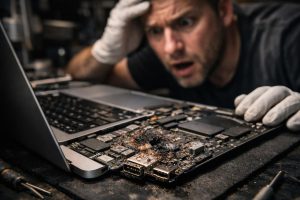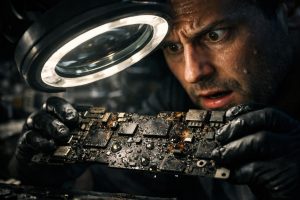
Contact with liquids is one of the most common causes of severe failures in MacBook, and also one of the most treacherous. Unlike a common mechanical failure, liquid damage can remain silent for hours or days, progressively worsening as oxidation sets into the electronic components. When the first symptoms appear, such as ports that stop charging or the system short-circuiting, the window for effective intervention may already be narrowing.
This guide explains how to identify, diagnose and repair a MacBook affected by liquid damage, focusing on the most frequent scenarios: power circuit failure, logic board oxidation and trackpad issues. If your equipment shows these symptoms, reading the following paragraphs could make the difference between a successful repair and a total loss.
Symptoms of Liquid Damage in a MacBook: What to Look For
Liquid damage isn’t always immediately obvious. The equipment may continue to work for some time after the incident, giving a false sense of security. However, there are signs indicating that something is wrong inside:
- USB-C or Thunderbolt ports that don’t charge, even with cables and chargers in good condition
- MacBook that won’t turn on or that enters restart cycles without completing boot-up
- Unresponsive trackpad or erratic behaviour, including failure of haptic feedback
- Burnt smell or visible signs of corrosion in air vents or ports
- Battery not recognised by the operating system
Any of these symptoms, especially following a liquid spill, should be treated as an emergency. Turning off the equipment immediately and not attempting to charge it is the correct first step.
What Happens Internally: Short Circuit and Electronic Oxidation
When liquid enters the interior of a MacBook, the damage doesn’t stop at the exterior. The logic board, power circuit and other electronic components are exposed to a conductive substance that can create unintended electrical pathways, known as short circuits. This phenomenon prevents power from flowing correctly through the system, which explains charging and startup failures.
Over time, even if the equipment is turned off, residual moisture promotes oxidation of the components. Resistors, capacitors and control chips become covered by a layer of corrosion that compromises their functions. The power circuit, responsible for managing the energy coming from the battery and charger, is particularly vulnerable to this type of degradation.
Technical intervention always begins with ultrasonic cleaning of the board, which removes residue and oxidation without damaging the components. The technician then performs a detailed analysis with specialised diagnostic equipment to identify the integrated circuits and faulty components, replacing them with microsoldering-level precision.
Power Circuit Repair and Battery Replacement
The power circuit of a MacBook is one of the most complex systems on the logic board. It involves multiple controllers, precision resistors and chips responsible for power management. When this circuit is damaged by liquids, the equipment loses the ability to receive power through the ports, resulting in the zero-charging symptoms described above.
Repairing this circuit requires advanced electronics skills: the technician identifies the failed components, removes them with a hot air station and solders new components with specifications identical to the originals. This process, when carried out correctly, fully restores the power system’s operation without needing to replace the logic board.
In equipment with liquid damage, the battery must also be assessed. Even if it shows no visible damage, it may have suffered internal degradation caused by the short circuit. Preventive battery replacement, in this context, is a measure that significantly extends the equipment’s lifespan after the repair.
Trackpad with Oxidation: Resistor Repair and Haptic Feedback Recovery
The MacBook trackpad is a component rarely associated with liquid damage, but it is frequently affected. Oxidation of the resistors on the trackpad board can cause loss of touch response, erratic cursor behaviour and failure of the haptic feedback system, the mechanism that simulates a physical click.
The good news is that this type of damage is repairable. Identifying and replacing the oxidised resistors restores normal trackpad operation, including haptic feedback. In the context of liquid damage repair, this additional work should be treated as an integral part of the overall intervention, with no hidden costs to the customer.
After all interventions, the equipment must undergo a complete functional test: checking charging through all ports, battery testing, trackpad validation and confirmation of operating system startup and stability. Only after this validation should the equipment be considered ready for delivery.
FAQ
My MacBook came into contact with liquids and the ports no longer charge. Is there a solution?
Yes, but it’s essential to act quickly. Contact with liquids can cause progressive oxidation of electronic components, including the power circuit. The longer the equipment stays turned on or damp, the greater the risk of irreversible damage. A specialised technician should perform ultrasonic cleaning of the board, assess the oxidised components and repair or replace the affected integrated circuits. In many cases, the power system can be fully restored.
The technician told me the MacBook may stop working during diagnosis. Why?
When there is an active short circuit inside the equipment, any attempt at electrical connection, even for diagnosis, can worsen existing damage or cause failures in components that were still operational. This warning is part of a transparent and responsible approach: the technician should always communicate this risk before starting any intervention on equipment with liquid damage, protecting both the customer and the integrity of the diagnosis.
Is it worth repairing a MacBook with oxidation in several electronic components?
In most cases, yes. Even with widespread oxidation, technicians specialised in board-level electronics can identify which components are damaged, replace specific resistors, capacitors or chips, and restore the equipment’s full functionality. The alternative, replacing the MacBook with a new device, represents a much higher cost. The repair quote should be presented before any intervention, so the customer can make an informed decision.
Need help? Contact MEGABIT at comercial@megabit.ptin-person support in Baixa do Porto and throughout the North of Portugal region.
Want to be notified when we publish our next article or video?
Free. Get notified as soon as we publish. No spam, easy to unsubscribe.