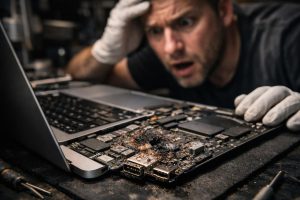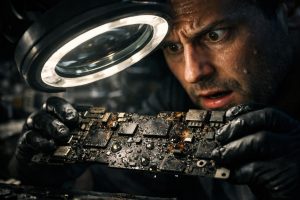
A glass of water, a coffee left too close, an accident at the office: these are situations that happen far more often than anyone would like. When a MacBook Air comes into contact with liquids, the damage can be immediate or develop progressively, as corrosion spreads through the internal circuits. The good news is that, with fast and specialised technical intervention, it is possible to recover the equipment, even in seemingly serious situations.
In this guide, we explain how the diagnosis and ultrasonic cleaning process works for MacBooks with liquid damage, what to expect at each stage, and how to make the right decisions when not everything goes as planned.
What to Do Immediately After a Liquid Spill on a MacBook
The first minutes after contact with liquids are critical. Acting immediately can determine whether the equipment is recoverable or whether the damage will be permanent. Follow these steps as quickly as possible:
- Turn off the MacBook immediately, without waiting for the operating system to shut down properly. Press and hold the power button until it turns off.
- Do not try to turn the equipment back on, even if it seems to be working. Electricity in the presence of moisture can cause additional short circuits.
- Tilt the MacBook to allow the liquid to drain out, preventing it from penetrating further into the internal components.
- Do not use rice or hair dryers, home remedies that do not address corrosion and may worsen the damage.
- Take the equipment to a specialised technician as quickly as possible, preferably on the same day, for professional diagnosis and cleaning.
The time between the accident and the technical intervention is one of the most decisive factors for a successful recovery. The longer the liquid remains in contact with the circuits, the greater the likelihood of irreversible corrosion.
Diagnosing Liquid Damage: What to Assess Before Intervening
Before any intervention, a detailed diagnosis must be carried out to understand the extent of the damage. This process includes a visual inspection of the internal components, identifying the affected areas, and assessing the condition of the ports, power circuits and motherboard.
In the specific case of USB-C ports, common in more recent MacBook Air models, liquid damage can cause total or intermittent failures. A port that doesn’t work at all may indicate a localised mechanical or electronic fault. A port with erratic, intermittent behaviour (sometimes working, sometimes not) is usually a sign of a more subtle electronic problem, possibly in the motherboard or its associated controllers.
It is important that the customer is informed, before any work begins, of the risks inherent to diagnosing and intervening on equipment with liquid damage. In severe cases, the handling involved in diagnosis itself can accelerate the failure of already weakened components. Transparency at this stage is essential for building trust between the technician and the customer.
Chemical and Ultrasonic Cleaning: How It Works in Practice
Cleaning electronic components with liquid damage is carried out in two complementary stages: the chemical bath and ultrasonic cleaning.
The chemical bath consists of immersing the affected components in a suitable solvent, usually high-purity isopropyl alcohol, which dissolves organic residues, mineral deposits and corrosion by-products. This step prepares the surface of the components for the next phase.
Ultrasonic cleaning uses specialised equipment that generates high-frequency vibrations in a solvent bath. These vibrations create microbubbles that implode against the surfaces of the components, removing contaminants from hard-to-reach areas, such as under chips soldered directly to the board. The process is highly effective and causes no mechanical damage when performed correctly.
After cleaning, the components are dried in an oven and inspected again before being reassembled. The equipment is then thoroughly tested to check that all functions work properly, with special attention to the areas that initially showed problems.
When Cleaning Doesn’t Solve Everything: Residual Faults and Difficult Decisions
In some cases, even after successful cleaning, residual faults may persist, indicating deeper electronic damage. A USB-C port that works most of the time but fails occasionally is a typical example: the component has been partially recovered, but there is an underlying electronic issue that may or may not progress.
In these scenarios, the decision to intervene on the motherboard should be considered carefully. A board-level intervention, which may include replacing chips or repairing damaged traces, carries additional risks and higher costs. If the equipment is working stably and the user can work around the occasional fault, it may be wiser to monitor its behaviour before moving forward with a more invasive intervention.
The technical recommendation in these cases is generally clear: if the equipment is working stably, immediate intervention on the motherboard is not justified. However, if the fault intensifies or starts affecting the equipment’s normal operation, intervention becomes necessary to prevent total failure.
Frequently Asked Questions
What happens to a MacBook when it comes into contact with liquids?
When a liquid comes into contact with the internal components of a MacBook, it can cause corrosion in the circuits, short circuits and failures in ports such as USB-C. The outcome depends largely on the type of liquid, the amount, and how quickly the equipment is turned off and brought in for diagnosis. Sugary or mineral-rich liquids, such as juice, coffee or tap water, are especially aggressive and can cause permanent damage to the motherboard if not treated in time.
What is ultrasonic cleaning and how does it help recover a MacBook with liquid damage?
Ultrasonic cleaning is a specialised technical process that uses high-frequency vibrations in a solvent bath to remove corrosion residues, mineral deposits and organic contaminants from electronic components. In the case of MacBooks with liquid damage, this technique allows the motherboard and other components to be cleaned without causing mechanical damage, significantly increasing the chances of recovering the equipment and restoring the proper functioning of the affected ports and circuits.
After ultrasonic cleaning, does the MacBook always work normally again?
Not necessarily. Ultrasonic cleaning greatly increases the chances of recovery, but the results depend on the extent of the damage caused by the liquid before treatment. In some cases, the equipment returns to normal operation. In others, intermittent faults may persist in specific components, such as USB-C ports, indicating a deeper electronic problem on the motherboard. In those cases, monitoring the equipment’s behaviour is essential to decide whether further intervention is needed.
Need help? Contact MEGABIT at comercial@megabit.ptin-person support in Baixa do Porto and throughout the North of Portugal.
Want to be notified when we publish our next article or video?
Free. Get notified as soon as we publish. No spam, easy to unsubscribe.