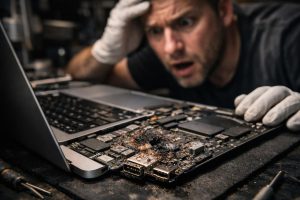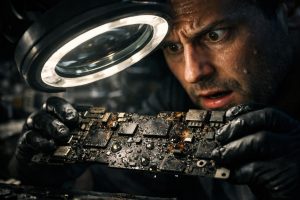
There are few situations as frustrating in everyday work as a MacBook that simply refuses to turn on. The power button doesn’t respond, or the computer shows signs of life for an instant before shutting down immediately, with no error messages, no indication of what is failing. For those who depend on the equipment for work, every minute counts, and the uncertainty about what caused the fault makes everything even more difficult.
The good news is that this type of behaviour, although alarming, has identifiable causes and concrete solutions. In this article we explain the most common origins of this fault in MacBooks, the correct diagnostic process and what to expect from a professional repair, including the importance of factors that often go unnoticed, such as small contact with liquids or a faulty charger.
Why Won’t a MacBook Turn On or Why Does It Shut Down Immediately?
When a MacBook doesn’t start up or shuts down fractions of a second after pressing the power button, we are usually dealing with a failure in the power management subsystem. This subsystem is responsible for regulating the current that powers all the computer’s components and for ensuring that startup occurs in an orderly and safe manner.
The most frequent causes include:
- Liquid contact damage: Even small amounts of water, coffee or intense humidity can deposit conductive or corrosive residues near the charging connectors and the logic board. The problem can arise days or weeks after the incident, as corrosion progresses enough to interfere with the circuits.
- Failure of the charging management integrated circuit: Components such as the CD3217, present in several MacBook models, manage communication between the charger and the battery. When this chip fails, the system cannot regulate incoming power and refuses to start up as a protective measure.
- Defective charger: A charger with irregular voltage output can progressively damage the MacBook’s power management components, without the user noticing any anomaly in the charger’s own operation.
- Completely drained battery or damaged cell: In extreme cases of deep discharge, the battery may not be able to supply enough power for the initial startup, even with the charger connected.
The Role of Liquid Contact: When the Damage Is Invisible
One of the most deceptive aspects of liquid-related faults in MacBooks is that the damage is not always evident, neither to the user nor on a superficial visual inspection. A minimal splash of water, an environment with high humidity or even condensation inside the equipment can be enough to start a corrosion process that only becomes critical weeks later.
When a specialised technician opens the equipment and identifies signs of liquid contact near the charging ports, this does not necessarily mean that the user spilled a glass of water on the computer. Often, the amount involved was so small that the incident went completely unnoticed, which is perfectly consistent with the extent of the damage observed internally.
In these cases, the repair process involves:
- Careful cleaning of the logic board with suitable solvents, to remove corrosive residues;
- Replacement of damaged components, such as the charging management integrated circuit;
- Charge and discharge cycles to validate battery behaviour after the intervention;
- Checking the charger used, to rule out that it was the original cause of the fault.
The CD3217 Integrated Circuit: What Is It and Why Does It Fail?
The CD3217 is a charging controller present in several MacBook models with a USB-C port. This chip is responsible for managing the communication protocol between the charger and the system, ensuring that the power supplied is adequate and safe for battery charging and for the computer’s operation.
When this component is affected by corrosion, by irregular voltage from a defective charger, or by other factors, the MacBook loses the ability to properly manage incoming power. The typical result is exactly the behaviour described: the computer doesn’t turn on, or tries to start up and shuts down immediately, because the protection system detects an anomaly and interrupts the process.
Replacing this component at chip level, without needing to replace the entire logic board, is a repair that requires specialised soldering equipment and technicians with specific training in repairing Apple components. When properly carried out, it restores the equipment to full working order, at a fraction of the cost of a new logic board.
The Importance of Validating the Charger After Repair
A step often neglected after repairing a MacBook that wouldn’t turn on is checking the charger. If a faulty charger caused the original fault, using the same charger after the repair can damage the newly replaced components again, leading to a recurrence of the fault in a short time.
For this reason, it is good practice for the user to bring their usual charger when collecting the repaired equipment, so that the technician can measure the output voltage and current with suitable instrumentation and confirm that the charger is safe to use. This simple check can save a new fault and a new repair cost.
If the charger shows values outside Apple’s specifications, the safest solution is to replace it with an original or MFi-certified charger, avoiding low-cost generic chargers that often do not meet the voltage and current requirements set by Apple.
My MacBook won’t turn on but it was working normally until yesterday. What could have happened?
A sudden failure without a visible drop or impact can have several origins: a damaged power management integrated circuit, a faulty charger that sent irregular current to the equipment, or even residual contact with liquids that went completely unnoticed. Small amounts of moisture, such as vapour or minimal splashes, can corrode internal components without leaving visible external marks and only manifest days or weeks later.
How do I know if the problem is the charger or the MacBook itself?
This distinction is essential and is not always easy to make without suitable diagnostic equipment. A defective charger can send irregular or unstable voltage that damages the MacBook’s charging controller. To test, the ideal approach is to use a certified Apple charger in good condition and check if the behaviour changes. In specialised workshops, multimeters and current analysers are used to precisely measure what the charger is supplying to the computer.
Is it worth repairing a MacBook with liquid damage?
In most cases, yes, especially if the exposure to liquid was limited and the damage is localised. When only one or two components are affected, such as a power management integrated circuit or charging connectors with surface corrosion, the repair is technically viable and economically advantageous compared to buying new equipment. The key lies in a thorough diagnosis carried out by technicians experienced in component-level board repair, known as chip-level repair.
Need help? Contact MEGABIT at comercial@megabit.ptin-person support in Baixa do Porto and the entire Northern Portugal region.
Want to be notified when we publish our next article or video?
Free. Get notified as soon as we publish. No spam, easy to unsubscribe.